How to Make a Setlist: A Practical Guide for Better Gigs
Learn how to make a setlist that fits your gig. Plan song order, time transitions, rehearse cues, and choose practical tools for a smoother live performance.

Written by Kevin Christensen
A strong setlist does more than put your favorite songs in order. It gives the performance a shape, fits the time you've been given, and tells the band what happens between songs. If you're wondering how to make a setlist, start with the show you need to deliver, not the size of your repertoire.
This guide walks through song selection, pacing, timing, and rehearsal for a band or solo gig. You can do the planning on paper, in a spreadsheet, or with one of the setlist and live performance tools. The useful part is making decisions that everyone can follow on stage.
Define the gig before choosing songs
A setlist is the ordered list of songs you plan to perform. For practical use, add the information that keeps the show moving: keys, endings, transitions, breaks, and cues.
Before choosing the opener, confirm the conditions with the organizer. Is your slot a continuous performance or several sets? Does the stated finish time include an encore? Are announcements, introductions, or a changeover part of your allocation?
Write a short brief with:
- Start time, finish time, and any agreed breaks.
- Audience and setting, such as a listening room, wedding reception, or festival stage.
- Required songs and any material the organizer has ruled out.
- Available players, instruments, and technical limits.
- One person responsible for approving and distributing the final order.
A seated acoustic show and a dance set can use some of the same songs without needing the same order. Let the purpose of the event guide your choices. Don't assume a familiar band arrangement will fit a shorter slot unchanged.
If you're sending details to a promoter, keep the show description consistent with your electronic press kit. Your setlist is an internal running plan, not a replacement for the information the venue needs.
Choose an energy arc, not a rigid formula
Start with songs the available lineup can play confidently. Then label each candidate in terms your band understands: quiet, driving, spacious, dense, familiar, or new. Tempo is useful, but it doesn't tell the whole story. A slow song with a large ending may feel more intense than a faster, lighter one.
Choose an opener that lets you establish the sound of this particular show. That might be a direct, familiar song or a quieter piece in a listening room. There isn't one opening strategy that works for every audience.
Next, place a few anchor songs across the performance. These are the moments you especially want to deliver well. Fill the gaps with contrast and a realistic view of the players' workload.
Consider these questions as you move songs around:
- Are several pieces asking the singer for the same demanding register?
- Does one player need time to switch instruments or retune?
- Are you repeating the same texture for longer than you intend?
- Does the ending of one song lead naturally into the next?
- Is the closer effective without an encore?
Treat these as rehearsal questions, not rules about what audiences always prefer. You don't need to alternate fast and slow songs mechanically. Try a sequence, listen to what it does, and change it when the musical result doesn't match your intention.
Time the whole performance, including the gaps
Use the length of your live arrangement, not just the recording. An extended solo, repeated chorus, or spoken introduction changes the running time. Measure songs in rehearsal when possible, then include the time between them.
Build the timing record from separate parts: music, talking, instrument changes, planned pauses, and breaks where those count toward the booking. Keep optional songs outside the main total so you can see whether the committed program fits.
A simple working template might look like this. The cue wording is illustrative, not a required format:
| Field | What to record |
|---|---|
| Song | A title everyone recognizes |
| Key | The agreed performance key |
| Duration | Measured time for the live arrangement |
| Start cue | Who starts and how |
| Ending | Stop, held chord, fade, or linked transition |
| Next action | Talk, instrument change, or straight into the next song |
Check your timing assumptions rather than treating an app's total as proof. BandHelper's setlist-building documentation explains that duration calculations use entered song lengths or fallback defaults. It also supports time allowances for pauses, breaks, and gaps between songs.
Leave some flexibility appropriate to the booking. Agree on a song you can cut and a suitable extra you can add. If the organizer gives you a hard finish, make sure the band knows which matters more: reaching every title or ending on time.
Pick a tool for the planning you actually do
A shared document may be enough when the repertoire is small and the running order rarely changes. A setlist app becomes useful when you repeatedly reorder songs, reuse repertoire, or need lyrics and performance notes beside the running order.
These are two options with different planning features, not a ranking or a claim that you need either one.

Build setlists, store lyrics and chords, sync songs, and use auto-scroll during practice or live performance.
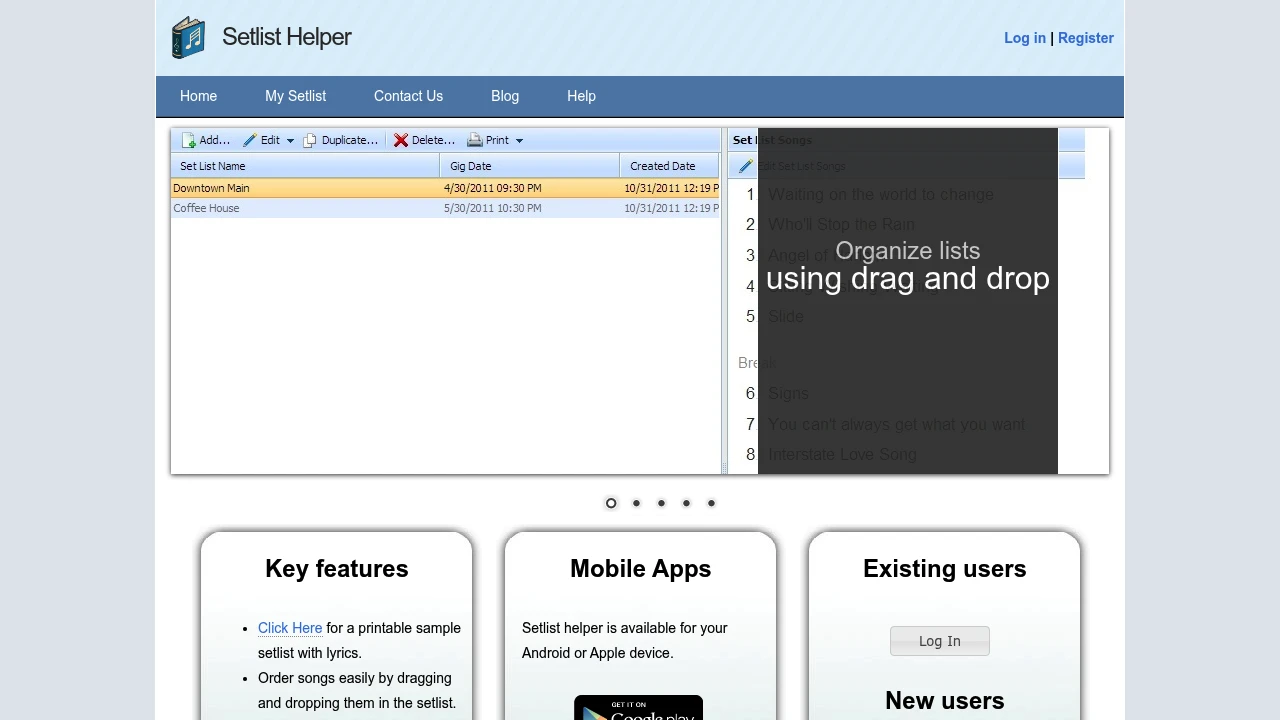
Setlist Helper combines a song catalog with setlist building, lyrics, chords, and duration information. Its drag-and-drop builder and printable setlists suit musicians who want to prepare an order and carry it into rehearsal.

Manage your band's repertoire, schedule, contacts, and finances. Sync set lists, lyrics, and stage plots across iOS, Android, Mac, and web for seamless gigs.
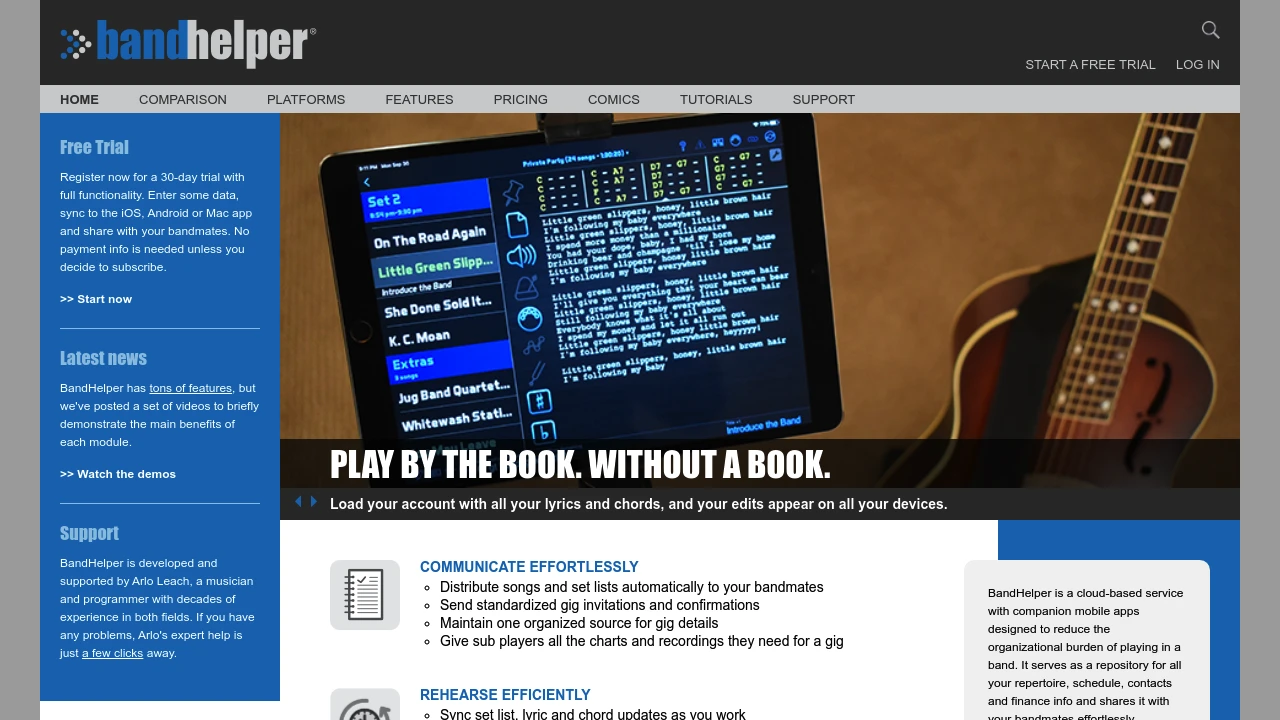
BandHelper supports set breaks, pauses, linked songs, and set-duration calculations. Those features are useful when your running plan needs to show medleys, instrument changes, and optional extras as well as song titles.
Setlist Helper's official product page describes its catalog, printing, and setlist features. Before choosing any app, check current device support and whether the sharing model fits your group. Managing your own library isn't necessarily the same thing as giving each band member an individual workspace.
Keep the buying decision narrow. Do you need a running order, a chart viewer, or a wider band-management system? If the main problem is finding the correct music file, our digital sheet music organization guide covers that separate job. Here, the priority is deciding what happens during the show.
Rehearse transitions and agree on changes
Run the proposed order in rehearsal, including the gaps. Don't stop the clock whenever someone speaks or changes an instrument. Those moments belong to the performance too.
Pay particular attention to the end of one song and the beginning of the next. Who gives the cue? Does the drummer count in, or does another player start alone? Is there a moment for applause? If two songs run together, everyone should know where the link happens.
Record only the cues that help. A concise note such as “guitar starts alone” is easier to use on stage than a paragraph explaining how the idea developed. Put detailed arrangement work in the rehearsal notes or chart.
Decide who can change the order during the show and how they'll communicate it. Agree on simple signals for skipping a song, extending a section, or moving to the closer. Don't assume everyone can see a quiet edit on one person's screen.
After the run-through, distribute one clearly dated version. Ask each player to check the key, order, and any personal instrument changes. For a substitute, add the cues a regular member may take for granted. Keep a readable fallback that doesn't depend on everyone opening the same app.
Make the next setlist easier to build
Learning how to make a setlist is mostly about turning musical intentions into a plan the whole group can use. You don't need a complicated system. You need a clear brief, realistic timing, a deliberate song order, and transitions you've actually tried.
Start with your next booking. Confirm the slot and any required material, then choose songs that fit the players and the setting. Place the musical moments that matter most, and build the rest of the sequence around them. Check the physical work as well as the sound: singing demands, instrument changes, and who needs a moment before the next entrance.
Then run the show as a show. Time the gaps, practice the cues, and decide what you'll cut if you need to finish sooner. Keep a suitable extra ready, but don't let optional material hide an overlong main set. Share the final version in a format everyone can read.
After the gig, save the order you actually played. Note where a transition dragged, an introduction took longer than expected, or a different pairing worked well. Those observations are specific to your performance, which makes them more useful than a universal rule about the perfect opener.
For the next event, reuse the information rather than copying the entire order automatically. Keep what worked, adjust for the new brief, and spend rehearsal time on the decisions that still need testing.